Your website feels old, slow or difficult to manage, and you know something needs to change.
But do you actually need a redesign, or would you be better off rebuilding the website from the ground up?
Those two options sound similar, but they can involve very different amounts of work, cost and risk.
A redesign usually keeps much of the existing website underneath and improves how it looks, feels and converts.
A rebuild goes deeper. It may replace the theme, codebase, CMS, page structure, database setup or even the technology used to run the website.
The right choice depends on what is actually wrong with the current site.
If the website looks dated but the underlying system works well, rebuilding everything may be unnecessary.
If the website has years of technical problems, plugin conflicts, poor performance and a difficult backend, putting a new design on top may only hide the real issue.
This guide explains the difference between a website redesign and a complete rebuild, how much each can cost, when each option makes sense and what businesses should check before making the decision.
Website Redesign vs Rebuild: What Is the Difference?
The easiest way to understand the difference is to think about what is being replaced.
A website redesign focuses mainly on the user-facing experience.
A website rebuild can change both the visible website and the technology running behind it.
| Website Redesign | Website Rebuild |
|---|---|
| Improves visual design | Can replace the complete website structure |
| Often keeps the existing CMS | May change the CMS or framework |
| Can retain existing URLs | May require extensive URL mapping |
| Usually faster | Usually takes longer |
| Normally lower cost | Normally higher cost |
| Best when the technical foundation is healthy | Best when the existing foundation is limiting the business |
There is some overlap between the two.
A major redesign can involve development work, and a rebuild obviously includes a new design in most cases.
The real question is how much of the existing website is worth keeping.
What Is a Website Redesign?
A website redesign updates the presentation and user experience of an existing website without necessarily replacing everything underneath.
You might keep the same domain, WordPress installation, database, content and most URLs while changing the theme and page layouts.
A redesign may include:
- New homepage design
- Updated brand colors
- New fonts
- Improved navigation
- Better mobile layouts
- New service-page templates
- Improved calls to action
- Conversion-focused forms
- Better content structure
- Image updates
- Speed improvements
- Basic technical cleanup
The goal is usually to make the current website feel more modern and perform better without replacing a system that is still working.
What Is a Website Rebuild?
A website rebuild goes beyond appearance.
It replaces important parts of the technical foundation of the website.
For example, a business may move from an old custom CMS to WordPress, from Wix to WordPress, from WooCommerce to Shopify or from an outdated theme to a completely new development structure.
A rebuild may involve:
- New CMS
- New theme or custom frontend
- New database structure
- New hosting environment
- New page architecture
- URL changes
- Content migration
- Custom functionality
- API integrations
- New ecommerce setup
- SEO migration
- Analytics migration
A rebuild is usually chosen when improving the existing system would require more work than replacing it properly.
When Does a Website Redesign Make More Sense?
You do not need to rebuild a website simply because it looks old.
If the underlying technology still works well, a redesign can be the faster and more economical option.
1. Your Website Works but Looks Outdated
This is one of the clearest cases for a redesign.
The site may be technically stable but visually stuck several years in the past.
You might have:
- Old typography
- Large empty spaces
- Outdated colors
- Weak visual hierarchy
- Old stock images
- Generic layouts
If the backend is healthy, replacing the design may be enough.
2. The CMS Is Still Easy to Manage
If your team can comfortably update pages, publish blogs and manage content, there may be no reason to replace the CMS.
A WordPress website that is technically sound can often be redesigned without rebuilding the complete installation.
3. Your URLs Already Perform Well in Search
If important service pages and blog posts already rank in Google, keeping their existing URLs can reduce migration complexity.
A redesign can preserve the existing SEO structure while improving the way those pages look and convert.
4. The Website Mainly Has a Conversion Problem
Sometimes the website attracts visitors but does not generate enough enquiries.
The problem may be:
- Weak calls to action
- Confusing navigation
- Poor form placement
- Long pages with no structure
- No trust signals
- Weak mobile experience
Those issues can often be fixed through redesign rather than a complete rebuild.
5. The Existing Features Still Work
If your forms, CRM integrations, ecommerce functions and other systems already work reliably, rebuilding them creates extra cost and extra testing.
There is little value in replacing something just because it is old if it still performs its job well.
When Does a Complete Website Rebuild Make More Sense?
A redesign becomes less useful when the real problems are underneath the visual layer.
1. The Website Is Difficult to Maintain
If making a simple change regularly breaks something else, the website may have accumulated too much technical debt.
You may constantly need a developer for basic updates that should be straightforward.
In that situation, rebuilding on a cleaner foundation can make more sense.
2. The Website Uses an Outdated CMS or Framework
Old systems may become difficult to update, secure or integrate with modern tools.
If developers who understand the platform are becoming difficult to find, maintaining the existing site can become increasingly expensive.
3. Performance Problems Keep Returning
A slow website does not always need rebuilding.
But if performance problems come from the theme, architecture, custom code and plugin stack together, repeated optimization work may only provide temporary improvements.
At some point, rebuilding can become more cost-effective than continuing to patch the same problems.
4. You Need Major New Functionality
A business may have started with a simple brochure website but now needs:
- Customer accounts
- Online payments
- Booking systems
- CRM integrations
- Dashboards
- Membership functionality
- Ecommerce
- Custom automation
If the current architecture was never designed for those requirements, rebuilding can give the new functionality a cleaner foundation.
5. The Current Website Cannot Scale
A website may work perfectly well with 20 pages but become difficult to manage when the business needs hundreds of pages, locations, products or resources.
Scaling problems often appear in:
- Navigation
- URL structure
- Content management
- Database performance
- Search
- Filters
- Permissions
A rebuild can give the business a structure designed for where it is going rather than where it was several years ago.
6. You Are Changing Platforms
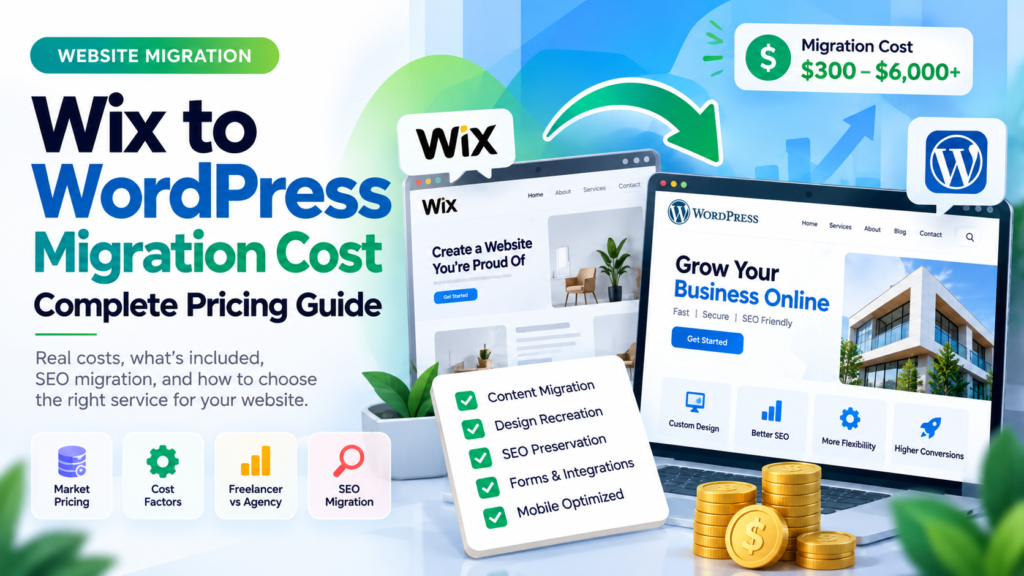
Moving from Wix to WordPress, WordPress to Shopify or another platform is effectively a rebuild because the website needs to be recreated in a new system.
Even if the new design looks almost identical to the old site, the technical foundation has changed.
Website Redesign vs Rebuild Cost
Cost is one of the biggest differences between the two options.
A redesign can often reuse existing technology, content and functionality.
A rebuild generally involves more development, migration and testing.
| Project Type | Typical Planning Range |
|---|---|
| Small visual redesign | $1,000–$3,000+ |
| Small business redesign | $2,000–$6,000+ |
| Strategic business website redesign | $3,000–$10,000+ |
| Small website rebuild | $3,000–$8,000+ |
| Custom business website rebuild | $5,000–$20,000+ |
| Complex ecommerce or custom platform rebuild | $10,000–$50,000+ |
These are planning ranges rather than fixed industry prices.
The actual cost depends on the number of pages, design requirements, custom functionality, integrations, content work and the development team you hire.
Why Can Website Redesign Pricing Vary So Much?
Two businesses can both ask for a “website redesign” while expecting completely different projects.
Design Scope
Refreshing colors and page layouts is different from creating a completely new design system from scratch.
Number of Pages
A 10-page site is very different from redesigning 200 pages with multiple templates.
Custom Development
Custom calculators, booking systems, dashboards and integrations increase the amount of development work required.
Content Work
If the project includes rewriting page content, creating graphics and restructuring services, it becomes larger than a simple visual redesign.
SEO Requirements
A website receiving significant organic traffic requires more careful planning than a new site with little existing visibility.
Is a Website Rebuild Always More Expensive?
Usually, but not always.
Imagine an old WordPress website running a heavily customized theme with dozens of outdated plugins.
A development team could spend weeks trying to redesign the existing system while keeping everything compatible.
In that situation, rebuilding the site cleanly may actually require less long-term work.
The important comparison is not only the initial project price.
You should also consider:
- Future maintenance
- Developer dependency
- Hosting costs
- Plugin costs
- Performance
- Security
- Ease of adding new features
Website Redesign vs Rebuild Timeline
A redesign usually takes less time because much of the existing website remains in place.
| Project | Typical Timeline |
|---|---|
| Small website redesign | 1–3 weeks |
| Business website redesign | 3–6 weeks |
| Large redesign | 6–12+ weeks |
| Small website rebuild | 3–6 weeks |
| Custom business rebuild | 6–12+ weeks |
| Complex ecommerce or platform rebuild | 8–20+ weeks |
Content approvals are often one of the biggest causes of website project delays.
A technically simple redesign can still take months if page copy, images and stakeholder approvals are not ready.
Which Option Has More SEO Risk?
A rebuild usually carries more SEO migration risk because it is more likely to change URLs, page structure, content and technology.
A redesign can often keep most SEO signals unchanged.
| Change | Redesign | Rebuild |
|---|---|---|
| Domain Change | Rare | Possible |
| URL Changes | Usually Limited | More Common |
| CMS Change | Usually No | Often Possible |
| Content Changes | Moderate | Can Be Significant |
| Redirect Requirements | Limited | Often Extensive |
If important URLs change, the old pages should be mapped to relevant new destinations.
Google recommends using permanent server-side redirects such as 301 or 308 when a page permanently moves, and avoiding unnecessary redirect chains.
Can a Website Redesign Hurt SEO?
Yes, if the redesign changes important elements without checking what was already working.
Common problems include:
- Deleting ranking pages
- Changing URLs unnecessarily
- Removing useful content
- Breaking internal links
- Changing headings without understanding search intent
- Removing metadata
- Launching with noindex enabled
- Creating slower pages
A visual redesign itself is not usually the problem.
The risk comes from what gets changed behind the design.
How to Protect SEO During a Rebuild
If the rebuild changes URLs or website structure, SEO migration should be planned before launch.
1. Crawl the Existing Website
Create a record of current URLs, titles, headings and important technical information.
2. Identify High-Value Pages
Use analytics and Google Search Console to find pages receiving organic traffic and conversions.
3. Create an Old-to-New URL Map
Every important changed URL should have a clear destination.
4. Create Permanent Redirects
Redirect old pages to the closest relevant new page rather than sending everything to the homepage.
5. Update Internal Links
Your own website should link directly to the new URLs instead of relying permanently on redirects.
6. Check Canonical URLs
Make sure the new website does not accidentally reference staging or old URLs.
7. Remove Staging Restrictions
Development websites are often set to noindex.
Those restrictions must be removed before or during launch.
8. Submit the New Sitemap
Once the new website is live, submit the updated sitemap in Google Search Console.
Should You Change Your URLs During a Redesign?
Only when there is a good reason.
If a URL is clean, relevant and already performing well, changing it simply to make it look slightly different can create unnecessary migration work.
For example:
example.com/website-redesign/
does not necessarily need to become:
example.com/services/best-website-redesign-company/
Keep strong existing URLs whenever practical.
Should You Change Your CMS During a Redesign?
Not automatically.
A redesign is often the moment when businesses start questioning their current CMS.
But changing platforms adds:
- Migration work
- Training
- Testing
- SEO complexity
- Integration work
If your current CMS supports what the business needs, there may be no reason to replace it.
If the CMS is the reason your business struggles to update or grow the website, then a rebuild may be worth considering.
WordPress Redesign vs WordPress Rebuild
WordPress websites are a good example of where the difference can become unclear.
A WordPress redesign may keep:
- The existing WordPress installation
- Database
- URLs
- Blog posts
- Users
- Some existing plugins
and simply replace the theme or page templates.
A WordPress rebuild may involve:
- Fresh WordPress installation
- New theme
- Removing old plugins
- Recreating page templates
- Migrating content
- Rebuilding integrations
- Changing hosting
A rebuild can be useful when the existing WordPress site has years of technical debt.
Website Redesign vs Rebuild for Ecommerce
Ecommerce websites need additional care because a rebuild can affect much more than pages.
You may need to preserve:
- Products
- Categories
- Customer accounts
- Orders
- Inventory
- Payments
- Shipping
- Tax rules
- Coupons
- Tracking
If the current ecommerce platform works well and the main problem is visual design, a redesign may be safer.
If the platform itself limits the business, a rebuild or platform migration may be justified.
How to Decide Between Redesign and Rebuild
A simple decision framework can help.
| Question | If Yes |
|---|---|
| Does the current CMS work well? | Consider redesign |
| Are current URLs and content performing well? | Preserve them where possible |
| Is the main problem visual? | Redesign may be enough |
| Is the backend difficult to manage? | Consider rebuild |
| Are performance problems caused by architecture? | Rebuild may make more sense |
| Do you need major new functionality? | Consider rebuild |
| Are you changing CMS? | This is effectively a rebuild |
| Does the site already rank well? | Plan SEO migration carefully |
Example: Local Service Business
Imagine a plumbing company has a 20-page WordPress website.
The pages rank reasonably well, forms work and the backend is easy to manage.
The problem is that the design looks old and the mobile experience is weak.
In this case, a redesign probably makes more sense.
The business can keep its existing URLs, content and CMS while improving the visual design, conversion flow and mobile experience.
Example: Old WordPress Website With Technical Problems
Now imagine another business has a WordPress site built eight years ago.
It has:
- 45 plugins
- An unsupported theme
- Repeated plugin conflicts
- Slow loading times
- Broken mobile layouts
- A difficult admin area
Putting a new visual design on top of this foundation may not solve the real problem.
A clean rebuild could be the better investment.
Example: Wix Business Website That Has Outgrown the Platform
A company may have started with a small Wix website and later added dozens of services, landing pages and integrations.
If the business now needs greater development flexibility, moving to WordPress while redesigning the site would be a rebuild rather than a simple visual refresh.
Common Mistakes Businesses Make
Choosing a Rebuild Just Because the Website Looks Old
An old design does not automatically mean the technical foundation is bad.
Do not pay to rebuild systems that are already working well.
Redesigning a Website With Serious Technical Problems
A new design cannot fix deep architecture, database or platform problems.
Changing Every URL
Changing URLs should have a reason.
Do not rebuild your entire URL structure simply because the new website is being launched.
Removing Too Much Content
Minimal designs can look clean, but removing useful content may reduce what the page offers visitors and search engines.
Ignoring Mobile Users
Desktop screenshots can look impressive while the actual mobile experience remains difficult to use.
Launching Without Testing Forms
A website can look perfect while enquiry forms silently stop sending leads.
Questions to Ask Before Making the Decision
- What exactly is wrong with the existing website?
- Does the current CMS still work?
- Can our team manage the backend easily?
- Are the existing URLs valuable?
- Does the website receive organic traffic?
- Are performance problems fixable?
- Do we need major new functionality?
- Are current integrations still suitable?
- Are we changing platforms?
- How much technical debt exists?
- What is our realistic budget?
- How much downtime can the business tolerate?
- Will content need to be rewritten?
- Who will manage the website after launch?
Website Redesign Checklist
If you decide to redesign rather than rebuild, review these items before work starts.
- Audit current website pages
- Identify top organic landing pages
- Keep important URLs where possible
- Review navigation
- Review conversion paths
- Check mobile experience
- Review page speed
- Preserve important content
- Update outdated content
- Test forms
- Check analytics
- Review internal links
- Test the redesigned site before launch
Website Rebuild Checklist
A rebuild requires a broader migration plan.
- Crawl the existing website
- Export all important URLs
- Review analytics
- Identify ranking pages
- Review backlinks
- Plan the new site architecture
- Select the CMS and hosting
- Create new designs
- Build the new templates
- Migrate content
- Rebuild forms and integrations
- Create old-to-new URL mapping
- Implement permanent redirects
- Review canonical URLs
- Update internal links
- Create an XML sitemap
- Test mobile layouts
- Test website performance
- Check tracking
- Test forms and conversions
- Monitor the site after launch
How Soft Giant Technologies Approaches Redesign and Rebuild Projects
At Soft Giant Technologies, we prefer to first identify whether the business actually needs a rebuild.
Rebuilding everything is not automatically better.
If the current WordPress installation, URLs and content are healthy, keeping those assets and redesigning the website can reduce cost, time and migration complexity.
If the existing system has serious performance, development or scalability problems, a clean rebuild may provide better long-term value.
Before recommending either option, we look at:
- Current CMS
- Website structure
- Page count
- Organic traffic
- Important URLs
- Performance
- Plugins and integrations
- Mobile experience
- Future business requirements
The scope should come from the actual problems with the website rather than automatically selling the larger project.
Request a Website Redesign or Rebuild Review
Frequently Asked Questions
What is the difference between a website redesign and rebuild?
A redesign mainly changes the appearance and user experience while keeping much of the existing technical setup. A rebuild replaces significant parts of the underlying website, such as the CMS, theme, codebase or architecture.
Is it cheaper to redesign or rebuild a website?
A redesign is usually cheaper because existing technology, content and functionality can often be reused. A rebuild normally requires more development, migration and testing.
When should I rebuild my website instead of redesigning it?
A rebuild may make more sense when the website has an outdated technical foundation, recurring performance problems, a difficult CMS, major scalability limitations or needs extensive new functionality.
Can I redesign my website without changing the URLs?
Yes. In many redesign projects, keeping existing URLs is preferable when those URLs are already clean and performing well.
Will rebuilding my website hurt SEO?
A rebuild can affect SEO if important URLs, content or technical signals change without proper migration planning. Mapping old URLs, using relevant permanent redirects and checking indexability can reduce avoidable problems.
How often should a business redesign its website?
There is no fixed schedule. A redesign should be driven by actual business needs such as poor usability, outdated branding, weak conversions or changes in customer expectations rather than an arbitrary number of years.
Should I change WordPress themes or rebuild WordPress completely?
If the existing installation is healthy, changing the theme or templates may be enough. If the site contains years of technical debt, unsupported code and plugin problems, a fresh build may be easier to maintain.
How much does a website redesign cost?
Small redesigns can start in the low thousands, while larger custom projects can cost considerably more. Page count, design complexity, content work and development requirements all affect the final price.
How long does a website redesign take?
A small redesign may take a few weeks. Larger business websites can take several weeks or months depending on page count, design complexity, content and approval processes.
Can a website redesign improve conversions?
It can when the redesign addresses real usability and conversion problems such as confusing navigation, weak calls to action, poor mobile layouts and difficult forms. A new visual style by itself does not guarantee better conversion rates.
Which Option Should Your Business Choose?
If the current website is technically healthy and the main problems are design, mobile experience or conversion, a redesign is usually the more practical place to start.
If the underlying platform is difficult to maintain, performance problems keep returning or your business has outgrown the existing architecture, rebuilding may provide better long-term value.
The decision should not be based on which option sounds more modern.
Start by identifying what is actually wrong with the current website and what the business needs the new site to do over the next few years.
Then keep what is already working and replace what is holding the business back.
If you are unsure whether your existing website needs a redesign or a complete rebuild, Soft Giant Technologies can review the current setup before you commit to either approach.