Building a website is usually a one-time project. Keeping it secure, updated and working properly is an ongoing job.
That is why business owners often get confused by website maintenance pricing. One provider may quote $49 per month, another may ask for $250, and an agency managing an ecommerce store may charge $1,000 or more.
Those prices can all be reasonable because they may be covering completely different work.
For most small businesses in 2026, a professionally managed website maintenance plan generally falls somewhere between $50 and $500 per month. A simple informational website can sit near the lower end, while a WordPress site that generates leads, a WooCommerce store or a website with custom integrations normally needs more attention.
The right question is not simply, “How much does website maintenance cost?” It is:
What does my website need each month, what happens if something breaks, and exactly what is included in the price?
This guide breaks those costs down in practical terms so you can decide what level of website maintenance your business actually needs.
How Much Does Website Maintenance Cost in 2026?
There is no universal maintenance price because a five-page company website and an online store processing orders every day do not carry the same workload or risk.
For budgeting purposes, these ranges are a useful starting point.
| Website Type | Typical Monthly Planning Range | Typical Requirement |
|---|---|---|
| Simple brochure website | $20–$100 | Basic monitoring, backups and occasional updates |
| Small business WordPress website | $50–$300 | WordPress updates, plugins, backups, security and support |
| Active lead-generation website | $100–$500 | Maintenance plus forms, tracking, content edits and faster support |
| WooCommerce or ecommerce website | $250–$1,500+ | Checkout testing, payment systems, backups, updates and priority support |
| Custom website or web application | $500–$5,000+ | Engineering support, monitoring, deployments and custom code maintenance |
These are planning ranges rather than fixed industry prices. The final cost depends on the website platform, complexity, traffic, number of integrations, required response time and how much hands-on work is included every month.
What Is Website Maintenance?
Website maintenance is the ongoing work required to keep a live website functional, secure, current and recoverable if something goes wrong.
For a WordPress website, this may involve updating WordPress itself, plugins and themes, checking backups, monitoring uptime and testing forms after updates.
For an ecommerce website, maintenance may also include testing checkout, payment gateways, transactional emails, product functions and integrations.
A custom application may require something different again: dependency updates, server monitoring, database work, bug fixes and software releases.
This is why two websites that look similar from the outside can have very different maintenance costs.
What Should a Website Maintenance Plan Include?
A useful maintenance plan should clearly explain what work is being done. A monthly invoice that simply says “website maintenance” does not tell you enough.
| Maintenance Task | Why It Matters |
|---|---|
| Website backups | Provides a recovery point if an update, hack or server problem damages the website |
| CMS updates | Keeps WordPress or another CMS current |
| Plugin and theme updates | Helps address compatibility and security issues |
| Security monitoring | Looks for suspicious activity, malware and vulnerabilities |
| Uptime monitoring | Alerts someone when the website becomes unavailable |
| Form testing | Helps prevent silent loss of enquiries |
| Performance checks | Identifies slow pages and technical problems |
| Broken link checks | Finds links that no longer work |
| Small content changes | Covers routine text, image and contact-information updates |
| Technical support | Gives the business someone to contact when something stops working |
Website Maintenance Cost by Service Level
It is easier to understand pricing when maintenance plans are grouped by the amount of responsibility the provider is taking on.
Basic Website Care: $20–$100 Per Month
A basic plan can work for a simple website that does not change frequently and is not directly responsible for processing payments or running important business operations.
It may include:
- Basic website monitoring
- Scheduled backups
- CMS updates
- Plugin updates
- Basic security scanning
- Occasional minor fixes
Before buying a very cheap plan, check whether a real person actually reviews the site when an update causes a problem.
There is a major difference between an automated system clicking “update” and someone testing the website afterwards.
Professional Small Business Maintenance: $100–$300 Per Month
This range is common for business websites that regularly generate enquiries and need someone responsible for their technical health.
A stronger plan may include:
- Regular tested updates
- Daily or frequent backups
- Uptime monitoring
- Security checks
- Contact-form testing
- Minor content changes
- Speed checks
- Bug fixes
- Technical support
- A defined response time
For many small companies, this is the level where maintenance starts becoming less about software updates and more about making sure the website continues doing its job.
Growth Website Maintenance: $300–$500+ Per Month
A busy lead-generation website may need ongoing work rather than occasional maintenance.
For example, a law firm, clinic, service company or B2B business may regularly need new landing pages, content updates, tracking changes and form improvements.
At this level, the plan may include a certain number of developer hours each month in addition to routine maintenance.
Ecommerce Maintenance: $250–$1,500+ Per Month
Maintaining an ecommerce website carries more risk because technical problems can directly interrupt revenue.
A WooCommerce or custom ecommerce maintenance plan may need to cover:
- Payment gateway testing
- Checkout testing
- Order email testing
- Plugin and extension updates
- Store backups
- Database monitoring
- Security monitoring
- Performance checks
- Product-related technical problems
- Shipping or tax integrations
- Emergency support
If a brochure website goes offline for one hour, it is inconvenient. If a busy ecommerce checkout stops working for one hour, orders can be lost immediately.
That difference in business risk is one reason ecommerce maintenance costs more.
How Much Does WordPress Maintenance Cost?
For a standard small-business WordPress website, a practical 2026 planning range is around $50 to $300 per month.
The price usually increases when the website has many plugins, custom theme code, ecommerce functionality, membership features, booking systems or third-party integrations.
| WordPress Website | Typical Monthly Range |
|---|---|
| Simple WordPress brochure site | $50–$100 |
| Business WordPress website | $100–$300 |
| High-traffic or complex WordPress site | $300–$750+ |
| WooCommerce store | $250–$1,500+ |
The number of pages is not always the biggest factor.
A 100-page informational site built cleanly may require less ongoing work than a 10-page website using 35 plugins, custom forms, booking software and several external APIs.
Why WordPress Websites Need Regular Maintenance
WordPress websites are made from several moving parts. The WordPress core, theme and plugins can all receive updates independently.
An update may improve security or compatibility, but updates can occasionally conflict with another part of the website.
That is why a proper WordPress maintenance process should be more than blindly installing every update.
A safer process looks something like this:
- Confirm that a recent backup exists.
- Review available updates.
- Apply updates carefully.
- Check important pages afterwards.
- Test forms and business-critical functions.
- Fix any compatibility problem that appears.
How Much Does WooCommerce Maintenance Cost?
WooCommerce maintenance normally costs more than maintenance for a standard WordPress business site.
A store may rely on payment gateways, shipping rules, tax systems, transactional emails, discount logic, customer accounts and multiple WooCommerce extensions.
Every additional moving part creates something else that may need testing after an update.
A small WooCommerce store might budget around $250 to $500 per month for managed support, while larger or revenue-critical stores can require considerably more.
The real question is not how many products the store has. It is how damaging a technical failure would be to the business.
What About Shopify Website Maintenance?
Shopify handles much of the underlying hosting, platform security and core software infrastructure for store owners, so the maintenance model is different from WordPress or WooCommerce.
However, a Shopify store may still need ongoing professional support for:
- Theme changes
- App conflicts
- Product and collection updates
- Landing pages
- Tracking implementation
- Speed improvements
- Custom Liquid work
- Conversion improvements
- Third-party integrations
A Shopify maintenance plan is often better described as ongoing store support rather than traditional server maintenance.
Website Hosting Is Not the Same as Website Maintenance
This distinction causes a lot of confusion.
Hosting provides the infrastructure that makes your website available online.
Maintenance deals with the website running on that infrastructure.
| Hosting | Website Maintenance |
|---|---|
| Stores website files | Updates website software |
| Provides server resources | Checks functionality |
| May provide server backups | Reviews and restores website backups |
| Keeps server online | Fixes website-level problems |
| May include server security | Handles CMS, plugin and application issues |
Some managed hosting companies include certain maintenance features, so always check what your hosting plan already covers before paying for the same thing twice.
Does Website Maintenance Include SEO?
Usually, no.
Technical maintenance and ongoing SEO are related, but they are not the same service.
Website maintenance may include fixing broken links, checking website speed, updating plugins and making sure important pages remain accessible.
An SEO campaign typically involves additional work such as:
- Keyword research
- Content planning
- On-page optimization
- Competitor research
- Internal linking strategy
- Content creation
- Digital PR or authority building
- Local SEO
- Search performance analysis
If an agency says SEO is included in a maintenance package, ask exactly what that means.
“SEO included” could mean checking a broken sitemap once a month, or it could mean an actual ongoing search campaign. Those are not remotely the same thing.
What Usually Is Not Included in Website Maintenance?
A maintenance agreement should also make its exclusions clear.
Unless specifically included, the following often cost extra:
- Complete website redesign
- New custom features
- Large landing-page builds
- Copywriting
- Full SEO campaigns
- Paid advertising management
- Branding and graphic design
- Major ecommerce development
- New API integrations
- Premium plugin and software licences
- Emergency work outside the agreed support hours
This is where cheap maintenance packages sometimes become expensive. The monthly price looks attractive, but almost every request is later treated as additional work.
What Factors Increase Website Maintenance Cost?
Maintenance pricing is usually determined by risk and workload rather than simply by page count.
1. Website Platform
A hosted website builder, WordPress site, Shopify store and custom application all require different kinds of support.
2. Number of Plugins and Integrations
The more third-party tools your website relies on, the more potential compatibility points need to be managed.
3. Ecommerce Functionality
Payments, customer accounts, shipping and transactional systems increase both complexity and business risk.
4. Frequency of Content Changes
A website that changes twice a year should not cost the same to maintain as one that publishes new content every week.
5. Response Time
If your agreement guarantees a response within two hours, the provider has to reserve capacity for you. That generally costs more than support that can wait several business days.
6. Custom Code
Custom functionality often requires a developer who understands the existing code rather than someone who only manages plugins.
7. Business Importance
A website that generates most of a company’s sales needs a different level of monitoring from a website used mainly as an online brochure.
Monthly Website Maintenance vs Pay-As-You-Go Support
Not every business needs a monthly contract.
If your website is simple, rarely changes and is built on a platform that manages most technical updates for you, occasional support may be enough.
| Monthly Maintenance Plan | Pay-As-You-Go Support |
|---|---|
| Predictable monthly cost | You only pay when work is required |
| Ongoing monitoring | Usually no continuous monitoring |
| Regular backups and updates | You must remember routine tasks yourself |
| Faster support may be included | Availability may vary |
| Best for active business sites | Useful for very simple websites |
Should You Maintain the Website Yourself?
You can maintain a simple website yourself if you are comfortable handling backups, updates and basic troubleshooting.
The real cost of DIY maintenance is usually time rather than software.
If you spend three hours every month updating plugins, fixing minor issues and researching technical problems, compare the value of those hours with the cost of giving the responsibility to someone else.
DIY maintenance makes sense when the website is simple and you enjoy handling it.
It makes less sense when every website problem pulls you away from sales, customers or the work your business actually gets paid to do.
Freelancer vs Agency for Website Maintenance
Both can work. The right choice depends on what you need.
| Freelancer | Agency |
|---|---|
| Often lower cost | Usually broader technical coverage |
| Direct communication | Multiple people may be available |
| Good for straightforward websites | Better suited to complex or business-critical sites |
| Availability depends on one person | Support is less dependent on one person’s schedule |
A dependable freelancer can be better than a poor agency, and a good agency can be worth the higher price when several technical skills are required.
Look at the scope and response process rather than choosing purely by company size.
How Much Should a Small Business Budget Each Year?
Monthly fees are easier to understand when converted into annual costs.
| Monthly Maintenance | Annual Cost |
|---|---|
| $50/month | $600/year |
| $100/month | $1,200/year |
| $150/month | $1,800/year |
| $250/month | $3,000/year |
| $500/month | $6,000/year |
| $1,000/month | $12,000/year |
Those numbers make it easier to decide whether the service is proportionate to the importance of your website.
A company generating $300,000 per year through online enquiries may reasonably spend several thousand dollars keeping its website reliable.
A small informational website that produces no direct revenue probably does not need the same level of support.
How to Choose a Website Maintenance Plan
Before signing a maintenance contract, ask the provider these questions.
- How often are backups created?
- Where are backups stored?
- Are backups ever tested?
- Are plugin and CMS updates tested?
- What happens if an update breaks the website?
- Is malware cleanup included?
- Is uptime monitoring included?
- Are content edits included?
- How much developer time is included?
- What is the normal response time?
- Is emergency support available?
- Are hosting and premium licences included?
- What work is specifically excluded?
- Can the agreement be cancelled easily?
- Who owns the website, hosting account and source files?
A good maintenance proposal should answer most of these questions without making you ask.
Website Maintenance Pricing Red Flags
The cheapest plan is not automatically bad, and the most expensive plan is not automatically good.
What matters is whether the scope matches the price.
“Unlimited Everything” With No Conditions
If a very cheap plan claims to include unlimited development, unlimited edits and instant support, read the terms carefully. There is usually a practical limit somewhere.
No Backup Details
A plan saying “backups included” should explain how often backups are taken and where they are stored.
No Response-Time Commitment
If your website fails, you need to know whether someone is likely to respond in two hours or four days.
Updates Without Testing
Automatically updating software is useful, but important websites should also be checked after significant updates.
Your Provider Controls Your Domain
Your business should retain access to its domain, hosting and website assets. Maintenance should not depend on being locked into a provider.
When Is a Monthly Maintenance Plan Worth Paying For?
A monthly care plan becomes easier to justify when your website is directly tied to business operations.
Maintenance is usually worth considering when:
- Your website regularly generates enquiries
- You run WordPress or WooCommerce
- You accept online payments
- You use booking or appointment systems
- You have several plugins or integrations
- You publish content regularly
- You cannot afford several days of downtime
- You do not have an in-house developer
If none of these apply and your site is extremely simple, an expensive retainer may be unnecessary.
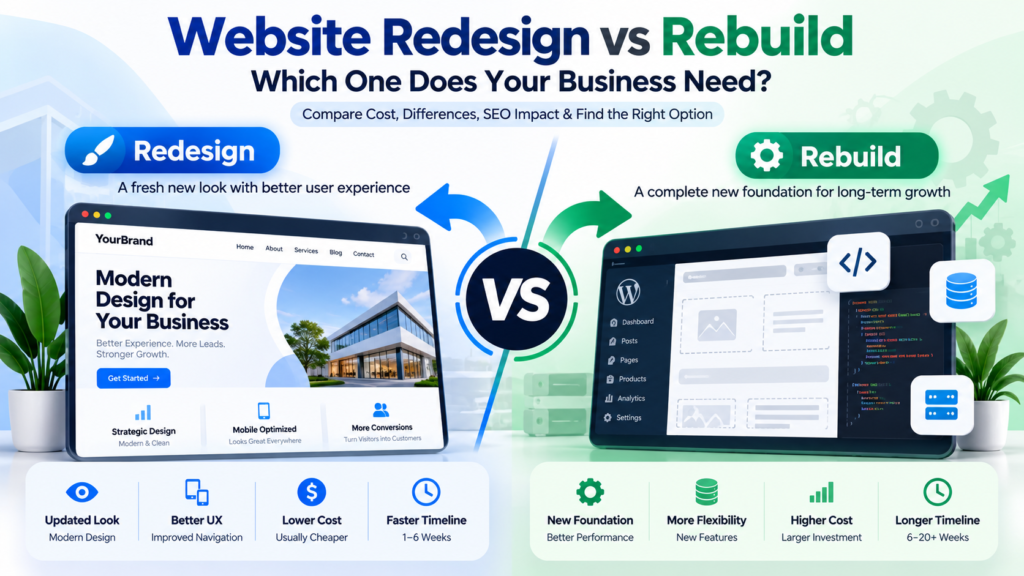
Website Maintenance vs Website Redesign
Maintenance keeps an existing website healthy. It does not fix every underlying problem.
If the website is eight years old, performs badly on mobile, loads slowly and has a confusing structure, continuously paying for small fixes may eventually cost more than rebuilding it properly.
| Maintenance Makes Sense When | Redesign May Make More Sense When |
|---|---|
| The website structure still works | The structure is difficult to use |
| The design is still acceptable | The design feels badly outdated |
| Only routine technical work is needed | Constant fixes are required |
| The current CMS is manageable | The CMS prevents normal business changes |
| Performance is reasonably good | Performance remains poor despite repeated fixes |
How Soft Giant Technologies Handles Website Maintenance
At Soft Giant Technologies, we prefer to start by understanding how the website is actually used rather than forcing every business into the same maintenance package.
A five-page WordPress company website does not need the same plan as a WooCommerce store processing orders every day.
Before recommending ongoing support, we look at the website platform, plugin stack, forms, integrations, traffic, hosting environment and how much business depends on the site staying available.
A maintenance arrangement can then focus on the areas that matter: backups, updates, security, uptime, forms, performance, small changes and technical support.
For businesses that also need ongoing organic growth, maintenance can be paired with separate SEO services rather than disguising a full SEO campaign inside a vague maintenance fee.
If the existing website has deeper technical or design problems, we may recommend a website redesign instead of spending month after month patching the same issues.
Website Maintenance Checklist for Small Businesses
If you manage the website internally, this checklist covers the basics that should be reviewed regularly.
- Confirm website backups are running
- Check that backups can be restored
- Update the CMS where appropriate
- Update plugins and themes
- Review website security
- Check website uptime
- Test contact and quote forms
- Check business email notifications
- Review broken links
- Check important pages on mobile
- Review website speed
- Check SSL certificate status
- Remove unused plugins and accounts
- Review analytics and conversion tracking
- Check payment and checkout functions if applicable
- Update old contact or business information
Frequently Asked Questions
How much does website maintenance cost per month?
A small-business website may cost roughly $50 to $500 per month for professional maintenance, depending on the platform, complexity, response time and amount of work included. Ecommerce stores and custom applications generally cost more.
How much does WordPress maintenance cost?
A standard small-business WordPress website commonly falls around $50 to $300 per month. Sites with custom code, WooCommerce, many integrations or faster support requirements can cost more.
Do small business websites really need monthly maintenance?
Not every website needs an expensive monthly contract. A very simple website may only require occasional support. WordPress sites, ecommerce stores and websites that generate important business leads usually benefit more from ongoing maintenance.
Is hosting included in website maintenance?
Sometimes, but not always. Hosting and website maintenance are separate services, although some providers bundle both into one plan. Check the proposal before comparing prices.
Does website maintenance include content updates?
Some plans include a fixed number of small content changes each month, while others charge separately. The contract should state how much editing time is included.
Does website maintenance include SEO?
Routine technical maintenance may support website health, but a full SEO campaign normally involves separate strategy, research, content and optimization work. Ask what the provider specifically means when SEO is listed as included.
What happens if I do not maintain my WordPress website?
The website may continue working for some time, but outdated software, failed backups, plugin conflicts and unnoticed form problems become more likely as the site ages. The longer maintenance is ignored, the harder troubleshooting can become when something eventually breaks.
Can I maintain my website myself?
Yes. Owners of simple sites can handle many routine tasks themselves. The question is whether you have the time and technical confidence to manage updates, backups and troubleshooting when something goes wrong.
How often should a website be maintained?
Important business websites should be monitored continuously and reviewed regularly. The exact maintenance schedule depends on how often the website changes and how critical it is to the business.
Is a website maintenance plan worth it?
It can be worth it when the website generates leads, accepts payments or supports important business operations. For a very simple site that rarely changes, occasional support may be more economical.
Website maintenance pricing makes more sense once you stop comparing plans only by their monthly number.
A $49 plan that runs automated updates is a different service from a $250 plan where a developer monitors the site, tests changes, handles small fixes and responds when something breaks.
Start with the role your website plays in your business.
If it is mainly an online brochure, keep the maintenance plan simple.
If it generates enquiries, bookings or sales every day, reliability deserves a larger budget.
The best maintenance plan is not the cheapest package or the package with the longest feature list. It is the one that clearly defines who is responsible for the website and what happens when something stops working.
Soft Giant Technologies provides website maintenance and technical support for WordPress, WooCommerce, Shopify and business websites. If you are not sure what level of maintenance your website needs, send us the site URL and we can review the setup before recommending a plan.